ROOM TARGETING
Use the helper before it leaves.
Identify which helper entered the hand. Canary shows a bird and carries Reveal plus Feed; Rat carries Break plus Feed. Neither record contains a normal direct play action.
Look at the room objects before releasing the card. Hover an object to reveal its accepted action glyphs, then wait for that exact object—not something in front of it—to gain the glowing target outline.
Use Canary when the target accepts Reveal, such as a hidden or obscured reward. Feed is its alternate interaction when the room presents a compatible hungry target.
Use Rat when the target accepts Break. The current Rat record is marked Unplayable, so dropping it without a compatible environment target is not the intended route. Feed is its second interaction.
Choose between two valid targets deliberately. A helper with Feed and another verb can be spent on the wrong outlined object if the room is crowded; clear the foreground obstacle or retarget before release.
Do not save either card as a permanent deck investment. Temporary means the copy is destroyed whenever it leaves the hand, including after its interaction or a Discard effect.
If no matching glyph appears in the current view, do not force the card onto an unrelated object. Recheck blocked sightlines and every object in the room; if the card still has no valid target, preserve the build number and encounter screen for a correction report.
WHAT SUCCESS LOOKS LIKE
The intended object glows before release, Canary resolves Reveal or Feed, or Rat resolves Break or Feed, and the room visibly changes. The helper then disappears as a Temporary copy rather than remaining in the deck.
VERSION BOUNDARY
The actions, targets, and Temporary property are exact records from Steam Demo build 23718635. The current player report explicitly describes Canary arriving after a bird-cage interaction and refers to Rat as a similar unexplained helper; it does not prove every animal encounter, reward roll, or Early Access source, so this page does not promise a universal spawn location.
CARDS IN THIS ANSWER
Know the effect before you build around it.
Ability text is tied to the recorded Demo build. “How you get it” stays cautious where a packaged shop value does not prove a guaranteed reward.
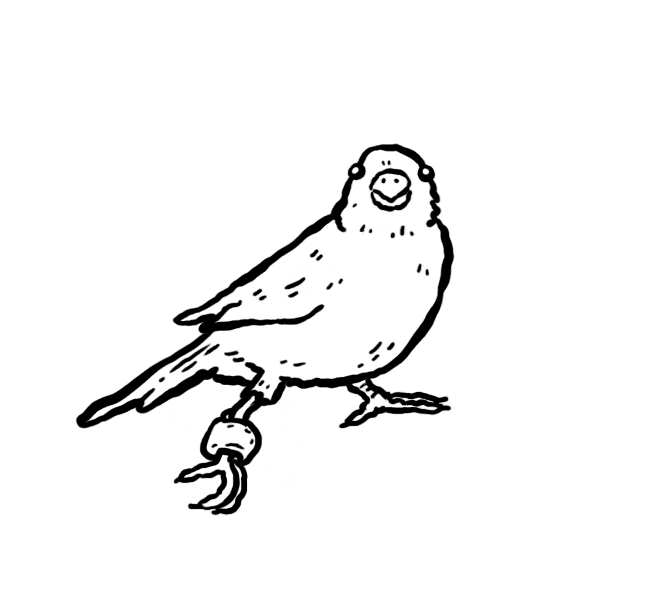
Explore / Food
Canary
- What it does
- Has no normal play action. Its current Demo interactions are Reveal and Feed; the card carries Temporary and Food 1.
- How you get it
- A current player reports receiving it after opening the bird cage. That does not prove every encounter source or reward roll.
- Use it with
- Drag it to a room object showing Reveal or Feed, and confirm that object has the glowing outline. Temporary destroys the copy when it leaves your hand.

Explore / Food
Rat
- What it does
- Has no normal play action. Its current Demo interactions are Break and Feed; the record carries Temporary and an Unplayable target.
- How you get it
- A current player identifies it as the same kind of unexplained animal helper as Canary, but the exact encounter source is not independently verified.
- Use it with
- Drag it to a room object showing Break or Feed. Do not try to play it into empty space: the normal card target is Unplayable.