QUICK FIELD CHECK
Match the verb to the object in front of you.
The glyph chooses the interaction. The glowing outline confirms which object will receive it.
- Dig
- Use it onA dig site or object showing the Dig glyph.
- Confirm after releaseThe outlined site changes or reveals its result.
- Break
- Use it onA breakable obstruction or object showing Break.
- Confirm after releaseThe outlined target breaks; re-check what is now reachable behind it.
- Fix
- Use it onA damaged structure showing the Fix glyph.
- Confirm after releaseThe outlined structure changes to its repaired state.
- Ignite
- Use it onA burnable or unlit target showing Ignite.
- Confirm after releaseThe target visibly lights or changes state.
- Feed
- Use it onA compatible creature or structure showing Feed.
- Confirm after releaseIts visible interaction progress or reward advances.
- Reveal
- Use it onAn obscured object showing the Reveal glyph.
- Confirm after releaseThe hidden target or its result becomes visible.
- Unlock
- Use it onA compatible lock showing the Unlock glyph.
- Confirm after releaseThe outlined lock opens or accepts the key action.
TARGETING ORDER
Confirm the object before release.
Hover or aim at the environment object until its interaction glyphs and glowing outline appear. If a nearer obstacle is outlined, clear it before trying to reach the structure behind it.
Match the word on your Explore card to the target: Dig for dig sites, Break for breakable objects, Fix for damaged structures, Ignite for burnable targets, Feed for hungry creatures or structures, Reveal for obscured objects, and Unlock for locks.
When a card lists two verbs, choose the target deliberately. Playing it on the wrong outlined object can spend its other action instead of the result you intended.
Read the target again after the interaction. Some properties describe how that object can be reused in later Explore cycles; they do not mean every matching card survives the play.
If the card appears valid but nothing happens, check energy, target outline, blocked line of sight, and whether the object has already consumed that interaction this room.
WHAT SUCCESS LOOKS LIKE
The intended object—not the obstacle in front of it—glows before release, the matching action resolves, and the room changes with a visible reward, cleared path, repaired structure, or opened lock.
VERSION BOUNDARY
The seven action names and object properties come from the current Demo text; the targeting and obstruction advice is also reported by current players. Exact rewards differ by object and room, so this page explains interaction control rather than promising a loot table.
CARDS IN THIS ANSWER
Know the effect before you build around it.
Ability text is tied to the recorded Demo build. “How you get it” stays cautious where a packaged shop value does not prove a guaranteed reward.

Explore / Pick
Skeleton Key
- What it does
- Unlocks a compatible door or chest. Its Demo record carries Evolve 3.
- How you get it
- The packaged Demo record lists a shop cost of 3, but that alone does not prove which reward pool will offer it in every run.
- Use it with
- Use it on real locks instead of holding it forever: each play advances Evolve. The evolved result still needs an in-run check.
Explore / Camp
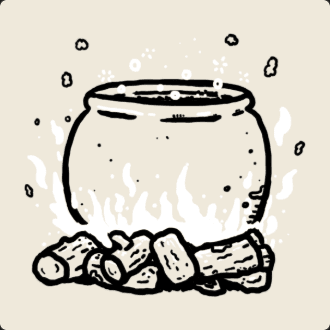
Soup Pot
- What it does
- Places a Soup Pot camp structure, then consumes the card. The Pot uses edible cards to make soups.
- How you get it
- Its Demo record lists a shop cost of 4. The exact offer pool and appearance rate are not independently verified.
- Use it with
- Keep useful edibles available before deploying it. The complete ingredient-to-soup table is still launch-check pending.